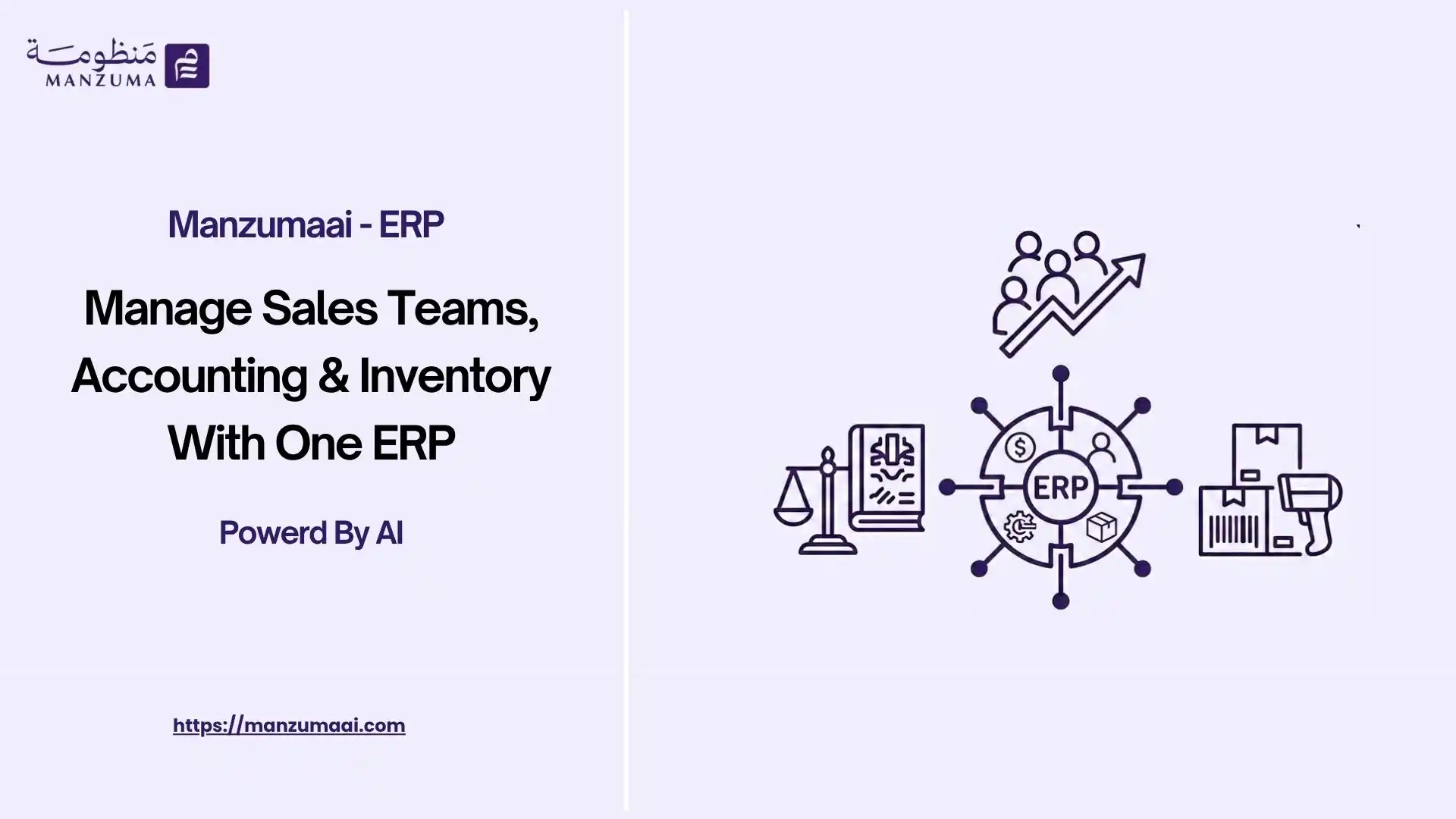
- Fundamentals of Sales Team Management and the Integrated Sales Cycle
- Key Sales Manager Responsibilities and Team Organization
- Operational Challenges of Separate Systems and Manual Processes
- Benefits of Managing Sales Teams Through an Integrated ERP System
- Integrating Sales, Accounting, and Inventory in a Practical Scenario
- Integrating ERP Modules with Sales Management
- Sales Process Automation and Artificial Intelligence in ERP Platforms
- Key Practices for Effective Sales Team Management
- Common Sales Management Mistakes and How to Avoid Them
- Criteria for Choosing the Right ERP System for Sales Team Management
- Manzuma AI: The Best Platform for Improving Sales and Business Operations
- ERP Use Cases Across Different Industries
- Why Choose Manzuma AI to Fully Automate Your Business?
- Are You Ready to Improve Your Operations and Connect Sales with Accounting and Inventory?
- FAQs
- How does an ERP system connect sales with accounting and inventory?
- What is the difference between CRM and an ERP system for sales?
- Can an ERP system prevent sales when inventory is unavailable?
- How are sales commissions calculated in an ERP system?
- Can an ERP system be used by field sales representatives?
Sales team management is the strategic process responsible for organizing, directing, and monitoring the performance of sales representatives and sales managers to achieve an organization’s financial objectives. It includes managing customer relationships, tracking sales opportunities, and setting operational targets.
This process becomes more efficient when sales team management, accounting, and inventory are integrated into a single ERP system. This turns sales activities into real-time financial and logistical data, prevents discrepancies between inventory balances and orders, reduces manual data-entry errors, and provides decision-makers with real-time performance reports.
Fundamentals of Sales Team Management and the Integrated Sales Cycle
Sales management is the primary driver of revenue for any business. A sales manager’s role goes beyond setting numerical targets. It also includes managing daily operations and distributing responsibilities in a structured way that ensures every team member performs efficiently.
Key Sales Manager Responsibilities and Team Organization
A sales manager organizes the team by dividing responsibilities based on geographical regions, customer size, or product type. Key responsibilities include:
- Setting sales targets and KPIs: Establishing realistic and measurable sales targets for each representative.
- Managing the Sales Pipeline: Tracking deals as they move from one stage to the next.
- Performance evaluation: Regularly reviewing conversion rates and deal-closing performance.
- Cross-department coordination: Ensuring a smooth flow of information between sales, accounting, and logistics.
Sales Cycle Stages and Tracking
A typical sales cycle consists of sequential stages that require accurate documentation to ensure that no opportunities are lost:
Lead ──> Opportunity ──> Quotation ──> Sales Order ──> Invoice ──> Payment
- Leads: Receiving and qualifying customer inquiries.
- Sales opportunities: Identifying customer needs and coordinating meetings.
- Quotations: Preparing and delivering financial and technical proposals.
- Sales orders: Confirming purchases and reserving products from inventory.
- Invoicing and payment collection: Issuing invoices and tracking payments.
- After-sales follow-up: Measuring customer satisfaction and providing ongoing support.
Sales Pipeline Management and Revenue Forecasting
The Sales Pipeline gives management a complete view of all active deals. It helps identify opportunities that have stalled at a specific stage and allows teams to address issues quickly.
Sales forecasting also relies on analyzing historical sales data, current team performance, and the volume of opportunities available in the pipeline. Integrating this information with available inventory data provides more accurate financial forecasts and helps businesses prepare their procurement requirements more effectively.
Key Sales Performance Indicators
The following KPIs help sales managers measure operational efficiency:
- Total Revenue: The total value of completed sales.
- Conversion Rate: The percentage of leads that become closed deals.
- Average Deal Size: The average financial value of each sales order.
- Sales Cycle Length: The time required from the first customer interaction to payment collection.
- Quota Attainment: The extent to which each sales representative achieves their assigned target.
Operational Challenges of Separate Systems and Manual Processes
Businesses that rely on separate software for each department, such as a standalone CRM, separate accounting software, or Excel spreadsheets, often face structural challenges that limit growth and increase operational costs.
Problems Caused by Data Fragmentation
- Duplicate data entry: Entering customer or order information multiple times in the sales system and then again in the accounting system increases the risk of human error.
- Limited inventory visibility: Delays in identifying actual available quantities can result in selling unavailable products or delaying deliveries.
- Inconsistent financial figures: Differences between sales and accounting reports can occur because revenue and payments are recorded at different times.
- Slower decision-making: Spending days preparing consolidated sales or financial reports prevents management from responding quickly to market changes.
Benefits of Managing Sales Teams Through an Integrated ERP System
An ERP system creates a unified data environment that connects different departments, improves operational efficiency, and ensures seamless information flow across the organization.
Separate Systems vs. an Integrated ERP System
|
Comparison |
Separate Systems / Excel |
Integrated ERP System |
|
Data source |
Multiple and inconsistent sources |
Single Source of Truth |
|
Inventory updates |
Manual or end-of-day updates |
Automated and real-time with every sales order |
|
Invoice generation |
Requires manual data re-entry |
Generated automatically with one click from the sales order |
|
Sales representative performance tracking |
Paper-based reports that take time to prepare |
Real-time dashboards |
|
E-invoicing compliance |
Difficult integration and repeated data entry |
Direct integration aligned with tax and e-invoicing requirements |
Integrating Sales, Accounting, and Inventory in a Practical Scenario
The following scenario shows how data can move automatically through a sales management system connected to an ERP platform without requiring manual re-entry:
[Lead] ──> [Opportunity] ──> [Quotation] ──> [Sales Order] ──> [Inventory Deduction] ──> [E-Invoice] ──> [Accounting Entry] ──> [Payment]
- Sales team: The representative enters the sales opportunity and creates a quotation. Once the customer approves it, the quotation is converted into a sales order.
- Inventory team: The system automatically reserves the required quantities from available inventory and generates the relevant fulfillment request.
- Accounting team: An accounting entry and compliant e-invoice are generated automatically, while the customer’s accounts receivable balance is updated.
- Executive management: The transaction immediately appears in revenue, profitability, and sales representative performance reports.
Integrating ERP Modules with Sales Management
To achieve a fully integrated sales ERP system, the following modules should be directly connected:
CRM ↔ Sales System ↔ Inventory Accounting ↔ Sales System HR & Payroll ↔ Sales System
Customer Relationship Management (CRM)
- How it works: Connects customer contact information with their interaction and transaction history.
- Problem it solves: Prevents customer data loss and eliminates uncertainty about previous interactions.
- Operational benefit: Unifies the customer journey from the first inquiry through sales and renewals within an integrated CRM system.
Accounting and Finance
- How it works: Automatically posts invoices and payments to the general ledger.
- Problem it solves: Reduces delays in account reconciliation and discrepancies between sales figures and financial statements.
- Operational benefit: Enables instant profit and loss and cash flow reporting through advanced accounting solutions.
Inventory and Warehouse Management
- How it works: Connects sales transactions directly to real-time inventory balances across warehouses and branches.
- Problem it solves: Prevents inventory shortages and overstocking caused by poor planning and limited visibility.
- Operational benefit: Provides accurate inventory-level control and alerts when stock reaches predefined safety levels through an integrated inventory management system.
- How it works: Connects each sales representative’s performance to commission and incentive calculations linked to payroll.
- Problem it solves: Reduces errors and disputes regarding sales team compensation.
- Operational benefit: Automatically calculates commissions based on actual collections through the HR system.
- How it works: Connects sales orders with government e-invoicing platforms and local tax systems through APIs.
- Problem it solves: Reduces penalties caused by incorrect or delayed invoice submissions.
- Operational benefit: Automates the generation of tax-compliant invoices through e-invoicing solutions.
Sales Process Automation and Artificial Intelligence in ERP Platforms
Advanced automation and modern technologies in sales team management software help eliminate repetitive tasks, allowing sales teams to focus on selling products and building stronger customer relationships.
- Automated follow-ups: Send automated reminders to customers about open quotations or outstanding invoices.
- Sales trend analysis: Use historical data to identify high-demand products and seasonal sales patterns.
- Lead Scoring: Prioritize leads based on their likelihood and readiness to purchase.
- Error alerts: Automatically notify management when an attempt is made to exceed a customer’s approved credit limit.
Key Practices for Effective Sales Team Management
To maximize the performance of sales teams and the technology they use, businesses should consider the following practices:
- Set clear and measurable sales targets and SMART KPIs for each team member.
- Standardize the chart of accounts and price lists within a unified ERP system.
- Connect sales with inventory to ensure real-time updates of available quantities.
- Automate the conversion of quotations into sales orders and e-invoices.
- Link sales representatives’ commissions to actual collections rather than simply creating a deal.
- Review Sales Pipeline reports weekly to identify delayed or stalled opportunities.
- Use a centralized dashboard to monitor performance instead of relying on paper-based reports.
Common Sales Management Mistakes and How to Avoid Them
- Relying on Excel spreadsheets to manage sales opportunities: This can fragment data and make it difficult to track customer interaction history. Solution: Use a CRM system integrated with ERP.
- Separating sales from accounting: This can delay collections and result in inaccurate invoices. Solution: Automate the conversion of sales transactions into accounting entries.
- Failing to define user permissions: This may allow unauthorized users to modify prices or access sensitive information. Solution: Implement role-based access controls.
- Ignoring historical customer data: This prevents businesses from effectively retargeting existing customers. Solution: Analyze purchase history to create personalized offers.
Criteria for Choosing the Right ERP System for Sales Team Management
When evaluating ERP systems available in the market, businesses should ensure that the system meets the following criteria:
- Full integration: Connect CRM, sales, accounting, and inventory without relying on external tools.
- Cloud access and mobile applications: Enable field sales teams to record and access data anytime.
- Local compliance: Support applicable tax regulations and approved e-invoicing requirements.
- Flexible permissions: Control each user’s ability to modify prices or discounts.
- Scalability: Support additional users, branches, and business growth.
- Training and support: Provide help centers and training programs to ensure successful implementation and adoption.
Manzuma AI: The Best Platform for Improving Sales and Business Operations
Manzuma AI provides an integrated cloud environment designed to unify business operations within a single, connected system. By integrating CRM, sales, accounting, and inventory modules, the platform enables decision-makers to monitor business performance from a single dashboard.
The platform helps businesses automate the entire document workflow, from receiving customer inquiries and assigning sales representatives to generating e-invoices and analyzing profitability. This reduces reliance on disconnected systems and minimizes complex maintenance costs.
ERP Use Cases Across Different Industries
- Challenge: Difficulty monitoring field sales representatives and updating inventory balances across multiple branches.
- Solution: Provide sales representatives with a mobile application that records orders in real time and deducts them from the relevant branch inventory.
- Result: Improved distribution efficiency and fewer delivery errors through solutions designed for the trading and distribution sector.
- Challenge: Difficulty determining accurate delivery dates due to a lack of integration between sales orders and production lines.
- Solution: Automatically convert sales orders into production orders and reserve raw materials through Bills of Materials (BOMs).
- Result: Better adherence to delivery schedules and increased customer satisfaction across the manufacturing sector.
- Challenge: Difficulty calculating the profitability of progress invoices and tracking quotation costs for each project.
- Solution: Link sales invoices and progress invoices to the budget allocated to each project.
- Result: Greater control over project expenses and revenue within the construction sector.
Services and Professional Businesses
- Challenge: Difficulty pricing services based on employee working hours and completed tasks.
- Solution: Connect deal management with project management and time tracking for accurate billing.
- Result: More accurate profitability calculations for services delivered across the services sector.
- Challenge: Managing medical sales while tracking equipment and supplies with expiration dates.
- Solution: Connect sales operations with customer records and serial-number tracking.
- Result: Better supply quality and compliance with healthcare standards.
- Challenge: Fragmented POS systems and a lack of integration between daily sales, accounting, and central inventory.
- Solution: Integrate reservations and point-of-sale operations into a centralized ERP platform.
- Result: Real-time revenue reporting and complete inventory control through hospitality-focused solutions.
Why Choose Manzuma AI to Fully Automate Your Business?
- Reduce costs: Manage all business activities from a single platform instead of paying for multiple subscriptions for invoicing, accounting, inventory, and HR tools, bringing essential business systems together under one subscription.
- Increase productivity: Automation reduces repetitive data entry while making it easier to generate reports and receive alerts quickly and efficiently.
- Minimize human errors: Automated data flows between invoicing, accounting, and inventory help prevent data-transfer and manual calculation errors.
- Strengthen tax compliance: The platform provides e-invoicing capabilities, tax calculations, and QR codes to facilitate compliance with applicable tax regulations.
- Flexible remote management: As a cloud-based platform, Manzuma AI allows businesses to monitor operations anytime through mobile devices or desktop access.
- Faster decision-making: Real-time analytics and reports provide management with a comprehensive view of sales, inventory movement, and cash flow without relying on time-consuming manual reporting.
- Free trial: Start using the platform with a free trial for several days without entering credit card details.
Managing sales teams alongside accounting and inventory within a single ERP system is a key step for any organization looking to improve operational efficiency and increase profitability.
Moving away from disconnected systems and adopting a unified data environment ensures more accurate reporting, faster collections, and comprehensive visibility that helps business leaders make confident decisions.
Are You Ready to Improve Your Operations and Connect Sales with Accounting and Inventory?
Don’t let fragmented data slow down your business growth. Join thousands of businesses that have improved their operations using an integrated platform.
Get a free demo today and speak with a Manzuma AI expert.
FAQs
How does an ERP system connect sales with accounting and inventory?
An ERP system automatically updates data across connected modules. When a sales order is created, the product is automatically deducted or reserved from inventory and the relevant accounting invoice is generated without requiring manual data re-entry.
What is the difference between CRM and an ERP system for sales?
CRM focuses primarily on managing customer relationships and sales opportunities before and during the sales process, while ERP manages the complete business cycle, including logistics, inventory deductions, invoicing, and accounting collections.
Can an ERP system prevent sales when inventory is unavailable?
Yes. The system can provide automated alerts and controls to prevent a sales order from being confirmed when sufficient inventory is not available at the selected warehouse or branch, helping protect customer trust.
How are sales commissions calculated in an ERP system?
The system can automatically calculate commissions based on predefined rules, such as completed sales or actual payment collections. This reduces calculation errors and financial disputes with sales representatives.
Can an ERP system be used by field sales representatives?
Yes. Cloud-based mobile applications can allow field sales representatives to record customer visits, create sales orders, and generate invoices directly from the customer’s location.
Ready to Organize Your Business?
Try Manzuma free for 14 days — no credit card, no commitment.