- What Is the Difference Between ERP and CRM?
- How Can You Understand the Difference Between ERP and CRM Through the Customer Journey?
- Does Your Business Need ERP CRM or Both?
- When Should CRM Be the Priority?
- When Does ERP Become More Important?
- How Do ERP and CRM Needs Change by Business Size and Industry?
- How Do ERP and CRM Work Together?
- Can ERP and CRM Be Managed From One Platform?
- What Industries Can Benefit from an ERP System?
- The advantage is not simply reducing the number of applications a company uses
- What Are the Benefits of Integrating ERP and CRM?
- Where Does the Greatest Value Come From?
- How Should You Choose the Right ERP or CRM System?
- Map Your Actual Business Workflow
- Evaluate Integration Before the Feature Count
- Test Reporting and Usability
- Consider Total Cost of Ownership
- ERP vs CRM: Which One Should You Choose?
- ERP and CRM Integration: The Bigger Business Picture
At first glance ERP and CRM systems may seem to serve similar purposes especially when both are used to manage customer and sales data In reality they solve different business problems
A CRM (Customer Relationship Management) system is primarily designed to manage customer relationships leads sales opportunities interactions and the sales pipeline An ERP (Enterprise
Resource Planning) system takes a broader approach by connecting core business operations such as accounting sales purchasing inventory human resources projects manufacturing and reporting
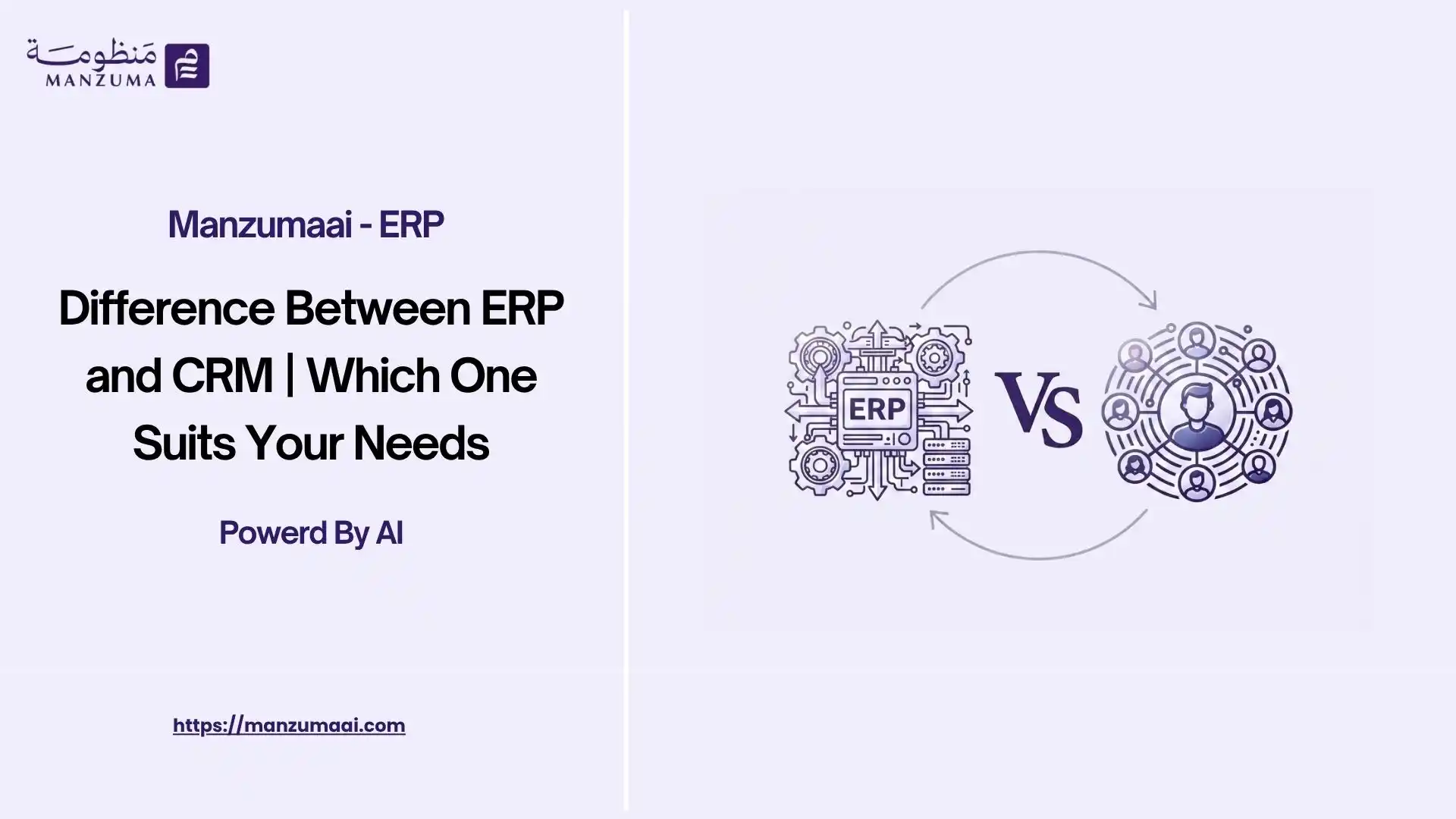
What Is the Difference Between ERP and CRM?
The fundamental difference between ERP and CRM comes down to the business functions each system is designed to manage
An ERP system manages and integrates the internal operations and resources of a business Depending on the platform and industry this may include accounting finance sales invoicing purchasing inventory human resources payroll manufacturing project management and business reporting
A CRM system on the other hand focuses primarily on the customer-facing side of the business It helps sales marketing and customer service teams manage leads prospects opportunities interactions follow-ups and the overall customer journey
| Business Area | ERP | CRM |
| Primary focus | Business operations and resources | Customer relationships and sales |
| Main users | Finance operations management HR procurement and other departments | Sales marketing and customer service teams |
| Core data | Financial operational inventory purchasing HR and business data | Customer lead opportunity interaction and sales data |
| Typical functions | Accounting inventory purchasing sales HR manufacturing projects | Lead management opportunities pipeline follow-ups customer interactions |
| Main objective | Connect and streamline business operations | Improve customer engagement and sales performance |
In simple terms:
CRM manages the customer journey ERP manages the broader business operation
The distinction becomes even more important when the two systems are integrated
How Can You Understand the Difference Between ERP and CRM Through the Customer Journey?
One of the easiest ways to understand the relationship between ERP and CRM is to follow a transaction from the first customer interaction to the final financial result
The journey may begin in the CRM where a sales representative records a prospect tracks an opportunity documents customer interactions and manages follow-ups
Once the opportunity becomes a real sales transaction ERP capabilities become increasingly important for handling the operational and financial side of the process
A typical workflow may look like this:
Lead → Sales Opportunity → Quotation → Sales Order → Invoice → Inventory → Accounting → Collection → Reporting
In an integrated environment employees do not need to recreate the same information at every stage
Customer information remains connected to the CRM while the sales transaction can flow into invoicing inventory accounts receivable and financial reporting
Professional tip: When evaluating an ERP or CRM solution do not ask only whether it includes both systems Ask how data actually moves between CRM and ERP and which business processes are connected
Does Your Business Need ERP CRM or Both?
There is no universal answer The right approach depends on the operational challenges your business is trying to solve
If your primary challenge is managing leads opportunities customer interactions sales activities and pipeline visibility a CRM may be the logical starting point
If your business needs to connect accounting sales purchasing inventory HR projects manufacturing and other internal operations an ERP is likely to be more important
For growing companies however combining CRM and ERP can provide a more complete business environment particularly when customer and sales information needs to connect directly with invoicing inventory accounting and reporting
When Should CRM Be the Priority?
CRM is often a priority when a business is experiencing challenges such as:
A growing number of leads and prospects
- Poor visibility into sales opportunities
- Difficulty tracking sales representatives' activities
- Limited visibility into customer interaction history
- An inconsistent or poorly managed sales pipeline
- Missed follow-ups and sales opportunities
- A need for more structured customer relationship management
A CRM can give sales and customer-facing teams a centralized environment for managing the customer journey
When Does ERP Become More Important?
ERP becomes increasingly valuable when a company needs to coordinate multiple internal functions
Typical indicators include:
- Multiple departments or branches
- Growing transaction volumes
- A need to connect sales with accounting
- Inventory management challenges
- Multiple suppliers and customers
- Heavy reliance on spreadsheets or disconnected applications
- A need for centralized financial and operational reporting
- Increasing complexity in purchasing payroll projects or production
The decision should therefore be based on the business problem not simply on whether ERP or CRM is considered more advanced
How Do ERP and CRM Needs Change by Business Size and Industry?
Company size matters but it is only one factor
The nature of the business number of branches transaction volume sales model customer lifecycle inventory requirements and desired level of integration can all influence the right technology strategy
For example a small professional services company may initially have a strong need for CRM capabilities to manage leads and opportunities
A distribution company with multiple warehouses may require broader ERP functionality covering sales purchasing inventory accounting and customer management
As businesses grow the ability to connect these functions often becomes more important than the individual features of any single application
ERP and CRM for Professional Services Companies
Professional services businesses often have a customer journey that moves from an initial opportunity to a project service engagement and eventually invoicing
CRM can help manage:
- Customer profiles
- Leads and prospects
- Sales opportunities
- Follow-ups
- Communication history
- Sales pipeline stages
ERP can then support the operational and financial side of the engagement including:
- Project management
- Timesheets
- Expenses
- Billing
- Accounting
- Project profitability
- Financial reporting
For example: a consulting firm may track the hours employees spend on a customer project Once the billable hours are approved they can become part of the billing process instead of being manually recalculated
The workflow can look like:
Lead → Opportunity → Project → Timesheet → Billing → Accounting → Profitability
Why Does ERP-CRM Integration Matter for Professional Services?
The main benefit is continuity
The sales team can understand the customer's history the project team can manage delivery and the finance team can manage billing and collections using connected business information
This creates a clearer path from winning the customer to delivering the service and measuring its profitability
ERP and CRM for Manufacturing Companies
Manufacturing businesses typically require a broader operational framework because customer demand is connected to production capacity raw materials inventory product costs quality and delivery
CRM can support customer-facing activities such as:
- Lead management
- Sales opportunities
- Quotations
- Customer history
- Follow-ups
- Sales pipeline management
ERP meanwhile can manage the operational processes behind the sale including:
- Sales
- Purchasing
- Raw materials
- Production
- Inventory
- Quality management
- Product costing
- Accounting
The real value appears when these processes are connected
A sales opportunity should not remain isolated from the operational reality of whether the company has the required inventory production capacity or cost structure to fulfill the order
What Does ERP-CRM Integration Look Like in Manufacturing?
Consider a customer requesting a large quantity of a manufactured product
CRM can manage the opportunity and customer relationship Once the order is confirmed ERP can manage the sales order inventory requirements procurement production delivery invoicing and accounting
This creates a connected workflow:
Customer Opportunity → Sales Order → Production/Inventory → Delivery → Invoice → Accounting
The important point is that customer and sales information should not remain disconnected from production inventory and financial data
How Do ERP and CRM Support Trading and Distribution Companies?
Trading and distribution companies typically process frequent transactions involving large product catalogs multiple customers warehouses branches suppliers and sales channels
CRM can focus on:
- Customer management
- Sales opportunities
- Follow-ups
- Customer history
- Sales activities
- Pipeline management
ERP can support:
- Sales and invoicing
- Purchasing
- Inventory and warehouses
- Accounts receivable and payable
- Accounting
- Branch operations
- Financial reporting
- Practical Example
A sales representative records a customer's order for a specific product
In a well-integrated environment the transaction can move from the sales process into the ERP workflow where the system can handle the relevant inventory invoicing customer balance and accounting processes
The employee should not have to enter the same order details separately into multiple systems
This is where integration delivers practical value: one transaction can drive multiple connected business processes
How Do ERP and CRM Work Together?
ERP and CRM integration is not simply about having two applications connected by a technical interface
The objective is to create a consistent flow of information across the customer-facing and operational sides of the business
A typical integrated workflow can include:
- A sales representative creates or updates the customer in CRM
- A lead is converted into a sales opportunity
- The sales team manages the opportunity and follow-ups
- A quotation is created
- The quotation becomes a sales order
- The transaction moves into the ERP workflow
- Inventory is updated when the relevant product transaction is processed
- An invoice is generated
- The financial impact is reflected in accounting
- The customer record and business reports are updated
This structure reduces duplicate data entry and gives different departments access to connected information
The important principle is:
The data should move with the business process
A CRM should not become an isolated database of contacts and an ERP should not become a disconnected collection of internal modules
Can ERP and CRM Be Managed From One Platform?
Yes An integrated business platform can combine CRM capabilities with ERP functions when the solution is designed to support both customer-facing and internal business processes
Based on the information provided for Manzuma AI the platform brings together business functions such as:
- Sales
- Invoicing
- Purchasing
- Expenses
- Inventory
- Warehousing
- CRM & Sales
- Human resources & Payroll
- Accounting
- Reporting and analytics
What Industries Can Benefit from an ERP System?
The section can cover industries such as:
- Retail and Trading
- Manufacturing
- Construction and Contracting
- Services
- Healthcare
- Hospitality and Hotels
- Travel and Tourism
- Automotive and Auto Parts Trading & Distribution
-
The advantage is not simply reducing the number of applications a company uses
The bigger benefit is reducing unnecessary data movement between disconnected systems and creating a more unified operational environment
Important: Having a CRM module inside an ERP platform does not automatically guarantee deep integration Businesses should evaluate how customer sales inventory accounting and workflow data actually interact across the platform
What Are the Benefits of Integrating ERP and CRM?
When CRM and ERP operate as connected systems businesses can gain several operational and strategic benefits
1- Centralized Customer Data
Sales and operational teams can work from more consistent customer information instead of maintaining separate databases
2- Less Duplicate Data Entry
Customer and transaction information can be reused across connected processes
3- Better Sales-to-Invoice Continuity
Sales activities can flow naturally into quotations orders invoicing and financial processes
4- Stronger Inventory Visibility
Product sales can be connected to inventory operations helping teams understand the operational impact of customer orders
5- More Accurate Financial Information
Sales and invoicing data can feed into accounting processes according to the configured financial rules
6- Better Customer Follow-Up
Sales teams can access relevant customer history and transaction information when managing relationships
7- Faster Reporting
Management can analyze information from connected operational and financial data rather than manually consolidating multiple sources
Improved Cross-Department Collaboration
Sales finance operations inventory and management teams can work from a shared business environment
8- Fewer Errors From Manual Transfers
Reducing repetitive copying and re-entry can lower the risk of inconsistencies between systems
9- Better Business Visibility
Management gains a more complete view of the journey from customer acquisition to revenue generation and collection
Where Does the Greatest Value Come From?
The greatest value does not come from the CRM screen or ERP module individually
It comes from the complete business process:
Customer → Sales → Order → Invoice → Accounting → Inventory → Collection → Reporting
When these stages are connected management can understand not only who the customer is but also what the customer bought what has been invoiced what remains outstanding how inventory was affected and what the transaction contributed to the business
How Should You Choose the Right ERP or CRM System?
Choosing business software should start with your processes not a feature checklist
The goal is to identify the system architecture that solves today's problems while providing enough flexibility for future growth
Identify the Business Problem
Start by asking what is actually slowing the business down
Is the main issue:
- Lead management?
- Sales follow-up?
- Customer visibility?
- Accounting?
- Inventory?
- Purchasing?
- Invoicing?
- Reporting?
- Lack of integration between departments?
The answer can help determine whether CRM ERP or both should be prioritized
Identify the Departments That Need to Work Together
Map the functions that depend on each other's data
These may include:
- CRM
- Sales
- Accounting
- Inventory
- Purchasing
- Human resources
- Payroll
- Projects
- Manufacturing
- Customer service
The more interconnected these functions are the more valuable an integrated ERP environment can become
Map Your Actual Business Workflow
Do not evaluate software based only on individual modules
Map a real process such as:
Lead → Opportunity → Quotation → Sales Order → Invoice → Payment
Then ask:
- Where is the data entered?
- How many times is it entered?
- Which department receives it next?
- What happens to inventory?
- What happens to accounting?
- How is the customer record updated?
- How does management access the final report?
This process-based evaluation often reveals integration problems that a feature checklist will miss
Evaluate Integration Before the Feature Count
A platform may offer dozens of modules but still create operational friction if those modules do not share data effectively
The more important question is:
Do the modules operate on connected business data and workflows?
This is especially important when evaluating ERP and CRM together
Test Reporting and Usability
A business system should make information easier to understand not simply store more information
Evaluate whether managers can quickly answer questions such as:
- Which opportunities are likely to close?
- What sales were generated this month?
- Which customers have outstanding balances?
- Which products are selling fastest?
- What revenue has been generated?
- Which transactions require attention?
Consider Total Cost of Ownership
Do not evaluate pricing based only on the initial subscription
Consider:
- User licenses
- Implementation
- Data migration
- Training
- Customization
- Integrations
- Support
- Future expansion
At the same time avoid paying for extensive functionality that your business does not currently need
The ideal platform should provide the capabilities you need today while allowing the business to scale without forcing a complete system replacement later
Professional tip: Never choose an ERP or CRM based solely on the number of modules Ask two questions: Do these modules share the same business data? And does information flow between them automatically as the process moves forward?
ERP vs CRM: Which One Should You Choose?
The answer depends on the business problem
Choose CRM first when your primary challenge is customer acquisition sales pipeline management lead follow-up customer engagement or sales visibility
Choose ERP first when your primary challenge is managing and integrating internal operations such as accounting inventory purchasing sales projects HR manufacturing or financial reporting
Consider both ERP and CRM in an integrated environment when your business needs to connect the customer journey with the operational and financial processes that follow the sale
For a growing business this third scenario can provide the strongest long-term value because it connects front-office activity with back-office execution
ERP and CRM Integration: The Bigger Business Picture
The relationship between ERP and CRM becomes clearer when viewed through the complete customer-to-cash cycle
CRM helps answer:
- Who are our prospects?
- Which opportunities are active?
- What stage is each deal in?
- When should the sales team follow up?
- What has happened in the customer relationship?
- ERP helps answer:
- What was ordered?
- What needs to be delivered?
- What inventory is available?
- What should be invoiced?
- What revenue was recorded?
- What does the customer owe?
- What is the financial impact of the transaction?
When both systems are integrated these questions can be answered using connected business data rather than separate applications
ERP and CRM are not necessarily competing solutions; each serves a different aspect of business management. CRM focuses on customers, sales opportunities, and the sales cycle, while ERP connects financial and operational processes such as sales, purchasing, inventory, accounting, and reporting.
The real value comes when these functions work together within one ERP system that combines accounting and CRM. This allows the entire process to flow seamlessly from managing customer relationships and sales opportunities to creating invoices, recording accounting entries, updating inventory, and generating reports—without unnecessary duplicate data entry or reliance on separate systems.
This is the approach supported by Manzuma AI, through an integrated ERP system that brings together CRM, accounting, and other core business functions on a single platform. This helps businesses unify their data, improve efficiency, and make faster, more accurate decisions.
Ready to Organize Your Business?
Try Manzuma free for 14 days — no credit card, no commitment.