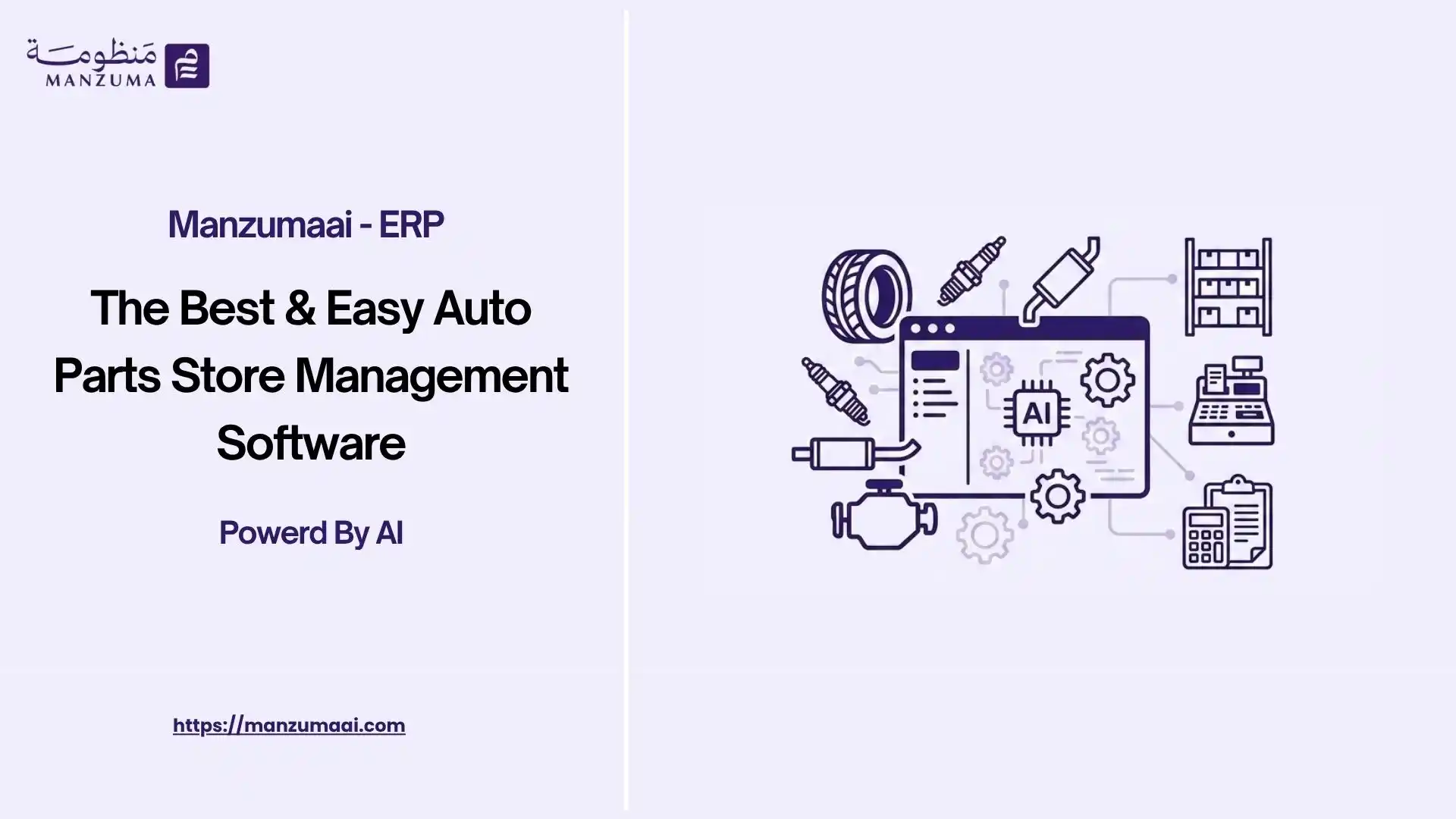
- What Is An Auto Parts Store Management Software & Its Key Features?
- Why Do Auto Parts Businesses Need Specialized Sales Software?
- What Features Should an Auto Parts Store Management Software Include?
- Part Number and SKU Management
- Real-Time Inventory Visibility
- Why Is Inventory Accuracy Important in Auto Parts Sales?
- How Does an Auto Parts Store Management Software Manage Sales Orders?
- Can an Auto Parts Store Management Software Manage Quotations?
- How Does the System Handle Auto Parts Pricing and Discounts?
- How Does an Auto Parts Store Management Software Manage Customers?
- How Does ERP Improve Auto Parts Sales Management?
- How Does an Auto Parts Store Management Software Support Purchasing?
- How Can Businesses Avoid Overstocking Auto Parts?
- How Does the System Manage Suppliers?
- How Does an Auto Parts Store Management Software Support Accounting?
- How Can an Auto Parts Store Management Software Improve Customer Service?
- How Can CRM Work With an Auto Parts Sales Program?
- What Are the Benefits of Using an Auto Parts Store Management Software?
- What Are the Common Challenges When Managing Auto Parts Sales?
- How Should You Choose the Best Auto Parts Store Management Software?
- Which Approach Is Better for an Auto Parts Business?
- How Does an Auto Parts Store Management Software Support Different Business Models?
- What Is the Ideal Auto Parts Sales Workflow?
- What Is the Best Auto Parts Store Management Software?
- Why Is Manzuma AI the Best Auto Parts Store Management Software?
- FAQs
- Can an Auto Parts Store Management Software Manage Inventory and Sales Together?
- Can It Manage Multiple Auto Parts Warehouses?
- Can an Auto Parts Sales Program Connect With Accounting?
- Can the System Manage Wholesale and Retail Customers?
- Can It Track Slow-Moving Auto Parts?
- Can It Manage Part Numbers From Different Manufacturers?
- Can an Auto Parts Sales Program Track Customer Balances?
Running an auto parts business involves far more than simply recording sales. Auto Parts Store Management Software helps dealers manage thousands of SKUs, organize different brands and part numbers, track inventory across warehouses, manage supplier purchases, serve customers efficiently, and maintain accurate financial records.
What Is An Auto Parts Store Management Software & Its Key Features?
Auto Parts Store Management Software is a solution designed to manage the sales and operational processes of an automotive parts business
The right sales software for an auto parts store should go beyond simply generating invoices. Its real value lies in turning each sale into a complete process that starts with selecting the product and ends with automatically updating inventory, accounting records, and reports.
Depending on the platform it can help businesses manage
- Auto parts catalogs
- Product and part numbers
- Brands and manufacturers
- Customer records
- Sales quotations
- Sales orders
- E-Invoicing
- Inventory and warehouses
- Purchasing
- Suppliers
- Pricing and discounts
- Customer balances
- Accounting
- Sales reports
- Profitability analysis
The most important distinction is between a simple sales application and an integrated business management solution
A basic sales tool may record a transaction and generate an invoice An integrated ERP-based solution can connect that transaction to inventory customer accounts purchasing accounting and management reporting
Professional tip When evaluating an auto parts sales program do not focus only on how quickly it creates an invoice Ask what happens to the data after the sale
Why Do Auto Parts Businesses Need Specialized Sales Software?
The automotive parts industry has characteristics that make generic sales software difficult to use efficiently at scale
A parts business may deal with
- Thousands of products
- Multiple part numbers
- Different manufacturers
- Equivalent or compatible parts
- Multiple suppliers
- Several warehouses
- Fast-moving and slow-moving items
- Frequent price changes
- Customer-specific pricing
- Wholesale and retail customers
- Returns and replacements
A salesperson may also need to identify the correct part quickly while confirming availability and price
Without an organized system employees may need to search through spreadsheets supplier catalogs previous invoices or different applications before completing a single sale
An integrated auto parts sales program can bring these processes together and provide a centralized source of operational data
What Features Should an Auto Parts Store Management Software Include?
The right feature set depends on the size and operating model of the business However an effective solution should cover the core activities involved in selling and managing automotive parts
Auto Parts Product Management
A parts business needs a structured product catalog
The system should ideally allow users to manage information such as
- Part name
- Internal SKU
- Manufacturer part number
- Brand
- Category
- Unit of measure
- Selling price
- Purchase price
- Tax information
- Available quantity
- Warehouse location
- Product specifications
For businesses with large catalogs strong search and filtering capabilities are particularly important
Part Number and SKU Management
Part numbers are at the heart of automotive parts sales
The same type of component may be available under different brands or manufacturer references Therefore a system should make it easy to search and identify the correct product
A well-structured catalog can reduce the risk of selecting the wrong item and make sales operations faster
Real-Time Inventory Visibility
Stock availability can directly affect the ability to close a sale
An auto parts sales program should provide visibility into
- Current stock
- Reserved quantities
- Available quantities
- Incoming stock
- Warehouse balances
- Stock movements
- Reorder requirements
This becomes even more important when a business operates multiple warehouses or branches
Why Is Inventory Accuracy Important in Auto Parts Sales?
Consider a customer asking for a specific brake component
If the system shows that the part is available when it has already been sold the salesperson may promise an item that cannot actually be delivered
An integrated inventory system reduces this risk by connecting sales transactions with stock movements
How Does an Auto Parts Store Management Software Manage Sales Orders?
A typical sales workflow may begin with a customer inquiry and continue through quotation order confirmation invoicing and payment
A connected workflow can look like this
Customer Inquiry → Quotation → Sales Order → Inventory Check → Invoice → Payment → Reporting
Instead of recreating the customer's information at every stage the system can carry relevant data forward through the sales process
This reduces repetitive data entry and helps maintain consistency between quotations orders invoices and customer accounts
Can an Auto Parts Store Management Software Manage Quotations?
Yes quotation management can be an important part of an automotive parts sales workflow
A salesperson may need to prepare a quote containing
- Customer details
- Parts
- Quantities
- Prices
- Discounts
- Taxes
- Delivery information
- Quote validity
Once the customer approves the quotation the information can be converted into a sales order where supported
This is more efficient than creating a completely new transaction and entering the same information again
How Does the System Handle Auto Parts Pricing and Discounts?
Pricing can become complicated when a parts business serves different types of customers
For example a company may have
- Retail prices
- Wholesale prices
- Dealer pricing
- Customer-specific discounts
- Promotional pricing
- Volume-based discounts
An effective system should allow the business to define pricing rules that match its commercial model
The goal is not simply to store a price It is to ensure that the correct price is applied consistently during the sales process
How Does an Auto Parts Store Management Software Manage Customers?
Customer management is another essential component of automotive parts sales
A centralized customer record can contain information such as
- Customer name
- Contact information
- Customer type
- Sales history
- Previous invoices
- Outstanding balance
- Credit terms
- Pricing arrangements
- Previous orders
This gives sales teams a clearer understanding of the customer's relationship with the business
Why Is Customer History Important?
A customer may repeatedly purchase specific categories of parts
By reviewing historical transactions the sales team can understand purchasing patterns identify frequently purchased products and provide a more informed service
When customer management is integrated with sales and accounting the same customer record can also provide visibility into invoices and outstanding balances
How Does an Auto Parts Sales Program Manage Multiple Warehouses?
Many automotive parts businesses operate more than one storage location
For example
Warehouse A → Warehouse B → Retail Branch → Distribution Center
Managing these locations through spreadsheets can make it difficult to determine where a specific part is actually available
A multi-warehouse system can provide visibility into
Stock by warehouse
Stock transfers
Incoming products
Outgoing products
Inventory adjustments
Available quantities
This allows sales teams to check whether an unavailable item at one location may exist at another
How Does ERP Improve Auto Parts Sales Management?
An ERP system takes the concept beyond sales automation by connecting sales with other business functions
A typical integrated workflow could be
Customer → CRM → Sales → Inventory → Purchasing → Accounting → Reporting
For example when a salesperson confirms an order
- The sales order is recorded
- Available inventory is checked
- Stock is reserved or reduced according to the workflow
- An invoice is generated
- The customer's account is updated
- The accounting records reflect the transaction
- Management reports are updated
This creates a continuous flow of business data rather than isolated transactions
How Does an Auto Parts Store Management Software Support Purchasing?
Inventory and purchasing are closely connected
If certain parts are selling faster than expected the purchasing team needs to know when additional quantities should be ordered
An integrated system can help connect
Sales Demand → Stock Levels → Reorder Requirements → Purchase Order → Supplier → Receiving → Inventory
This gives purchasing teams better visibility into what needs to be replenished
How Can Businesses Avoid Overstocking Auto Parts?
Not every part sells at the same rate
Some products may move quickly while others can remain in stock for extended periods
A good inventory and purchasing system can help management analyze
- Sales velocity
- Current stock
- Historical demand
- Slow-moving products
- Reorder requirements
- Supplier lead times
This can support more informed purchasing decisions and reduce unnecessary capital tied up in inventory
How Does the System Manage Suppliers?
An auto parts business may work with numerous suppliers and manufacturers
A centralized supplier record can help track
- Supplier information
- Purchase history
- Purchase prices
- Supplier invoices
- Payment obligations
- Products purchased
- Supplier performance
When purchasing and inventory are connected receiving products from a supplier can automatically become part of the inventory workflow according to the system's configuration
How Does an Auto Parts Store Management Software Support Accounting?
Sales transactions have a direct financial impact
An integrated ERP environment can connect sales invoices with accounting records customer balances payments expenses purchasing and other financial transactions
This can help finance teams monitor
- Revenue
- Accounts receivable
- Supplier liabilities
- Expenses
- Gross margins
- Cash flow
- Customer balances
The exact accounting treatment depends on the organization's accounting policies configuration and applicable tax requirements
How Can Auto Parts Businesses Track Profitability?
Revenue alone does not show whether a product or sales channel is profitable
A business may generate high sales volume while earning limited margins on certain products
An integrated system can help analyze profitability using information such as
Selling Price − Product Cost − Relevant Expenses = Margin
Depending on the ERP's capabilities management may analyze profitability by:
- Product
- Brand
- Category
- Customer
- Salesperson
- Branch
- Warehouse
- Sales channel
This can help identify high-performing products and areas where margins require attention
How Can an Auto Parts Store Management Software Improve Customer Service?
Speed matters in automotive parts sales
Customers often want to know three things immediately
- Do you have the part?
- How much does it cost?
- When can I get it?
An integrated system can help sales teams answer these questions using centralized product inventory and customer information
Instead of contacting multiple departments to confirm stock or price the salesperson can access the relevant information from the sales environment when the system supports that workflow
This can shorten response times and create a more consistent customer experience
How Can CRM Work With an Auto Parts Sales Program?
CRM and ERP serve different purposes but can work together effectively
CRM can focus on Leads
- Opportunities
- Customer interactions
- Sales activities
- Follow-ups
ERP can manage
- Sales orders
- Invoices
- Inventory
- Purchasing
- Accounting
- Financial reporting
The integrated customer journey may look like
Lead → Opportunity → Customer → Quotation → Order → Invoice → Payment
This gives sales teams visibility into the relationship while allowing finance and operations teams to manage the resulting transactions
What Reports Should an Auto Parts Sales Program Provide?
Reporting is essential for understanding how the business is performing
Useful reports may include:
Sales Reports
- Daily sales
- Monthly sales
- Sales by product
- Sales by brand
- Sales by salesperson
- Sales by branch
- Sales by customer
Inventory Reports
- Current stock
- Low-stock items
- Overstocked items
- Slow-moving products
- Stock valuation
- Inventory movements
Financial Reports
- Revenue
- Gross margin
- Customer receivables
- Supplier payables
- Expenses
- Cash flow
Purchasing Reports
- Purchase volume
- Supplier purchases
- Purchase costs
- Outstanding purchase orders
- Reorder requirements
The value of reporting increases when all of these datasets come from connected operational transactions
What Are the Benefits of Using an Auto Parts Store Management Software?
A properly implemented solution can provide several operational benefits
Faster Sales Processing
Sales teams can access product price customer and stock information without switching between multiple systems
Better Inventory Accuracy
Sales and inventory transactions can be connected reducing the risk of discrepancies caused by manual updates
Fewer Data Entry Errors
Information can flow from quotations to orders and invoices without unnecessary re-entry
Better Customer Management
Customer history orders invoices and balances can be managed within a connected environment
More Efficient Purchasing
Sales and inventory data can provide better visibility into replenishment requirements
Stronger Financial Control
Sales purchases expenses receivables and other transactions can be connected to accounting
Better Management Visibility
Integrated dashboards and reports can give management a broader view of sales inventory profitability and financial performance
What Are the Common Challenges When Managing Auto Parts Sales?
Even with software automotive parts businesses can face operational challenges if the underlying processes are not properly configured
Common issues include
- Duplicate product records
- Incorrect part numbers
- Outdated prices
- Poor inventory data
- Incorrect opening balances
- Uncontrolled discounts
- Unclear user permissions
- Poor warehouse organization
- Failure to track returns
- Disconnected accounting
- Lack of regular data review
Important Automation does not automatically fix poor data Product catalogs prices suppliers customers tax settings inventory quantities and accounting configurations must be maintained accurately
How Should You Choose the Best Auto Parts Store Management Software?
Choosing the right software should begin with the actual workflow of the business
Evaluate the Product Catalog
Ask whether the system can handle
- Large product catalogs
- Part numbers
- SKUs
- Brands
- Categories
- Product variants
- Search and filtering
Test the Sales Workflow
Ask the provider to demonstrate
Customer → Quote → Order → Stock Check → Invoice → Payment
Do not settle for a simple screen-by-screen presentation
3Check Multi-Warehouse Capabilities
If your business has multiple locations verify
- Warehouse-level stock
- Transfers
- Availability
- Stock adjustments
- Reporting
Review Purchasing Integration
Make sure purchasing is connected to inventory and supplier management
Evaluate Accounting Integration
Ask whether sales and purchasing transactions can automatically feed the accounting workflow
Check Customer Management
Verify whether the system provides a complete customer view including sales history invoices payments balances and interactions where required
Evaluate Reporting
Management should be able to answer questions such as
- Which parts sell the most?
- Which products have the highest margin?
- Which items are slow-moving?
- Which customers owe money?
- Which warehouse has available stock?
- Which suppliers account for the largest purchases?
Consider Scalability
Your system should be able to accommodate business growth in
- Products
- Customers
- Employees
- Warehouses
- Branches
- Transactions
Professional tip The best auto parts sales program is not necessarily the one with the most features It is the one that fits your workflow keeps data connected and remains practical as your business grows
Which Approach Is Better for an Auto Parts Business?
The answer depends on the complexity and growth stage of the business
A standalone sales program may be sufficient when the primary requirement is to manage customers sales orders and invoices
However an integrated ERP system becomes more valuable when the business needs to connect the entire sales cycle with inventory purchasing accounting warehouses customer balances and management reporting
For example a single auto parts sale can trigger several related processes
Customer Order → Sales Order → Inventory Update → Invoice → Customer Balance → Accounting → Management Reporting
With an integrated ERP these processes can operate on connected data rather than requiring employees to transfer information manually between separate applications
The Key Consideratio
The goal is not necessarily to eliminate every specialized software solution Instead businesses should evaluate whether their current sales software can support their operational requirements as they grow—and whether an integrated ERP can connect the processes that currently operate separately
Professional tip When choosing between standalone sales software and an ERP don't compare the number of features alone Evaluate how the system handles the complete business workflow from the initial customer order to inventory invoicing accounting and reporting
How Does an Auto Parts Store Management Software Support Different Business Models?
Auto Parts Retailers
Retail businesses typically need fast product search pricing inventory visibility customer management and efficient checkout or invoicing
Wholesale Auto Parts Distributors
Wholesalers may require
- Large product catalogs
- Customer-specific pricing
- Credit terms
- Multiple warehouses
- High-volume orders
- Supplier management
- Receivables tracking
Auto Parts Importers
Importers may need stronger purchasing supplier inventory landed-cost and financial management capabilities
Auto Parts Manufacturers
Manufacturers may require broader ERP capabilities covering
- Production
- Bills of materials
- Raw materials
- Inventory
- Quality
- Sales
- Purchasing
- Costing
- Accounting
This is why the right software should be selected according to the business model rather than the industry label alone
What Is the Ideal Auto Parts Sales Workflow?
A connected automotive parts operation can be structured around a workflow such as
Lead → Customer → Quotation → Sales Order → Inventory Check → Delivery → Invoice → Payment → Accounting → Reporting
Behind this workflow other processes can operate simultaneously
Sales → Inventory → Purchasing → Suppliers
And
Sales → Customer Account → Receivables → Accounting
This connected structure allows each department to work with information generated by the same underlying transactions
The right solution ultimately depends on how your business operates Before choosing a platform evaluate its ability to manage part numbers product catalogs warehouses customer-specific pricing purchasing accounting reporting and the complete sales cycle
The goal is not simply to digitize auto parts sales It is to create a connected operating system for the entire parts business where every sale becomes useful data for inventory purchasing accounting customer management and better business decisions
What Is the Best Auto Parts Store Management Software?
The best solution depends on the business's size, product catalog, number of warehouses, sales volume, accounting requirements, and level of integration required. A business should evaluate the complete workflow rather than choosing software based only on its feature list.
For businesses looking for an all-in-one solution, Manzuma AI provides an integrated ERP platform that brings sales, purchasing, inventory, accounting, and business operations together in one system. This helps auto parts stores reduce manual work, keep inventory and financial data synchronized, and gain clearer visibility into day-to-day performance.
With Manzuma AI, businesses can manage their operations from a centralized platform while accessing real-time data and reports to support faster decisions. As the business grows, the platform can also help manage expanding operations, multiple warehouses, and increasing transaction volumes without relying on disconnected systems.
Why Is Manzuma AI the Best Auto Parts Store Management Software?
Manzuma AI provides an integrated ERP solution that helps auto parts stores manage their core operations from one centralized platform. Instead of relying on separate systems for sales, inventory, purchasing, and accounting, businesses can connect these functions and maintain more consistent, up-to-date data.
Manzuma AI is a strong choice for auto parts businesses because it helps them:
- Manage large product catalogs: Organize auto parts, product information, quantities, and stock levels more efficiently.
- Control inventory: Track stock movements across warehouses and reduce the risk of overstocking or running out of fast-moving parts.
- Streamline sales: Manage sales transactions and invoices while keeping inventory records updated.
- Connect purchasing with inventory: Track purchases and supplier transactions while maintaining accurate stock availability.
- Integrate accounting: Connect sales, purchases, inventory, and financial transactions to reduce duplicate data entry.
- Manage multiple warehouses and branches: Centralize operational data and improve visibility across different locations.
- Access real-time reports: Monitor sales, inventory, expenses, and financial performance to make faster business decisions.
- Scale with business growth: Support expanding product catalogs, transaction volumes, users, and operations through an integrated ERP environment.
For auto parts stores looking to move beyond basic inventory or POS software, Manzuma AI combines inventory management, sales, purchasing, accounting, and reporting in one ERP platform, helping businesses improve operational efficiency and maintain greater control over their day-to-day operations.
FAQs
Can an Auto Parts Store Management Software Manage Inventory and Sales Together?
Yes An integrated solution can connect sales transactions with inventory movements allowing stock availability and sales data to remain synchronized according to the system's configuration
Can It Manage Multiple Auto Parts Warehouses?
Many ERP-based solutions support multi-warehouse operations Businesses should verify how the system handles stock transfers warehouse-specific quantities reservations and reporting
Can an Auto Parts Sales Program Connect With Accounting?
Yes when accounting is included as an integrated ERP module or supported through an appropriate integration
This allows sales purchases expenses receivables and other transactions to contribute to the financial records
Can the System Manage Wholesale and Retail Customers?
This depends on the platform's pricing customer segmentation sales and payment-term capabilities Businesses serving both markets should test customer-specific pricing and credit workflows before implementation
Can It Track Slow-Moving Auto Parts?
If the platform provides inventory and sales analytics businesses can use historical transaction data to identify products with low sales velocity
The exact analysis available depends on the reporting capabilities of the system
Can It Manage Part Numbers From Different Manufacturers?
A suitable automotive parts solution should provide a structured product catalog capable of storing manufacturer part numbers and other product identifiers
The exact number of identifiers and search relationships supported should be confirmed with the vendor
Can an Auto Parts Sales Program Track Customer Balances?
Yes when sales and accounting are integrated customer invoices payments and outstanding balances can be connected to the customer's financial account
Ready to Organize Your Business?
Try Manzuma free for 14 days — no credit card, no commitment.